Platform Admin
Create Organizations, grant the Author role and export the data of the platform.
You run the platform. You bring a new Organization on board with the Tracks it follows, decide who writes the Catalog, add the Stacks the Codebases run on, register the Content Repositories of the Catalog, choose the AI providers of the Reviewer Benchmark and of the Solution Judge, and export the data of the pilot. You see counts only: the individual data of the Learners stays with each Organization.
On a development instance, sign in as platform.admin@example.com from the development sign-in page to follow along.
-
Create an Organization
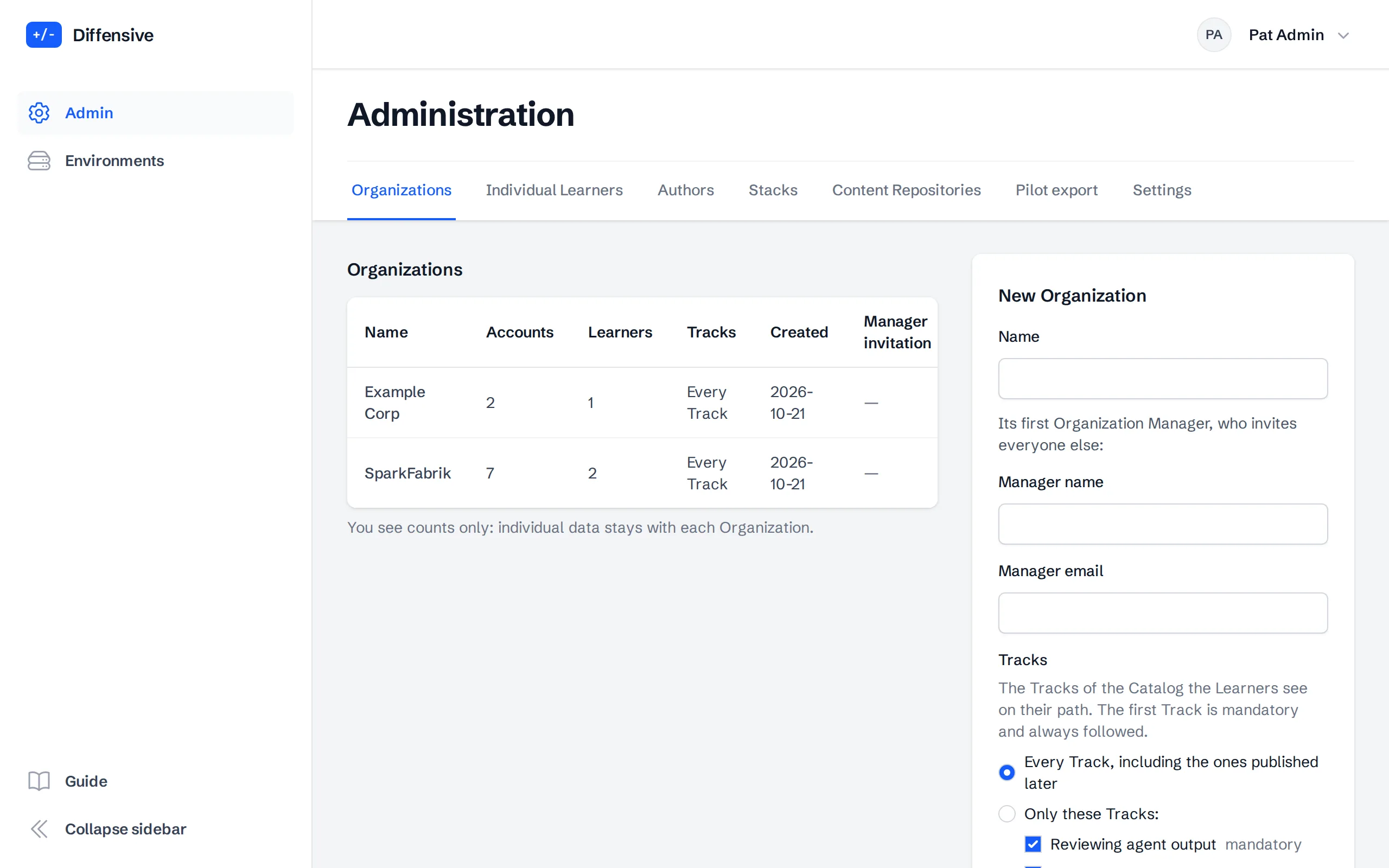
Choose Admin in the menu. Organizations lists every Organization with its number of accounts and Learners and the Tracks it follows.
To add one, fill in New Organization with its name and its first Organization Manager: name and work email. That person receives the Invitation and invites everyone else of the Organization. The email can belong to an Individual account, including your own: the person accepts the Invitation at their next sign-in and keeps their account. The email of a member of an Organization cannot be used. Under Tracks, keep Every Track, including the ones published later, or tick only the Tracks the Organization follows; the first Track is mandatory. Its Organization Manager can change the choice later.
The Invitation lasts fourteen days. Manager invitation shows when it expires, or that it has expired: choose Renew to give fourteen more days.
-
Grant the Author role
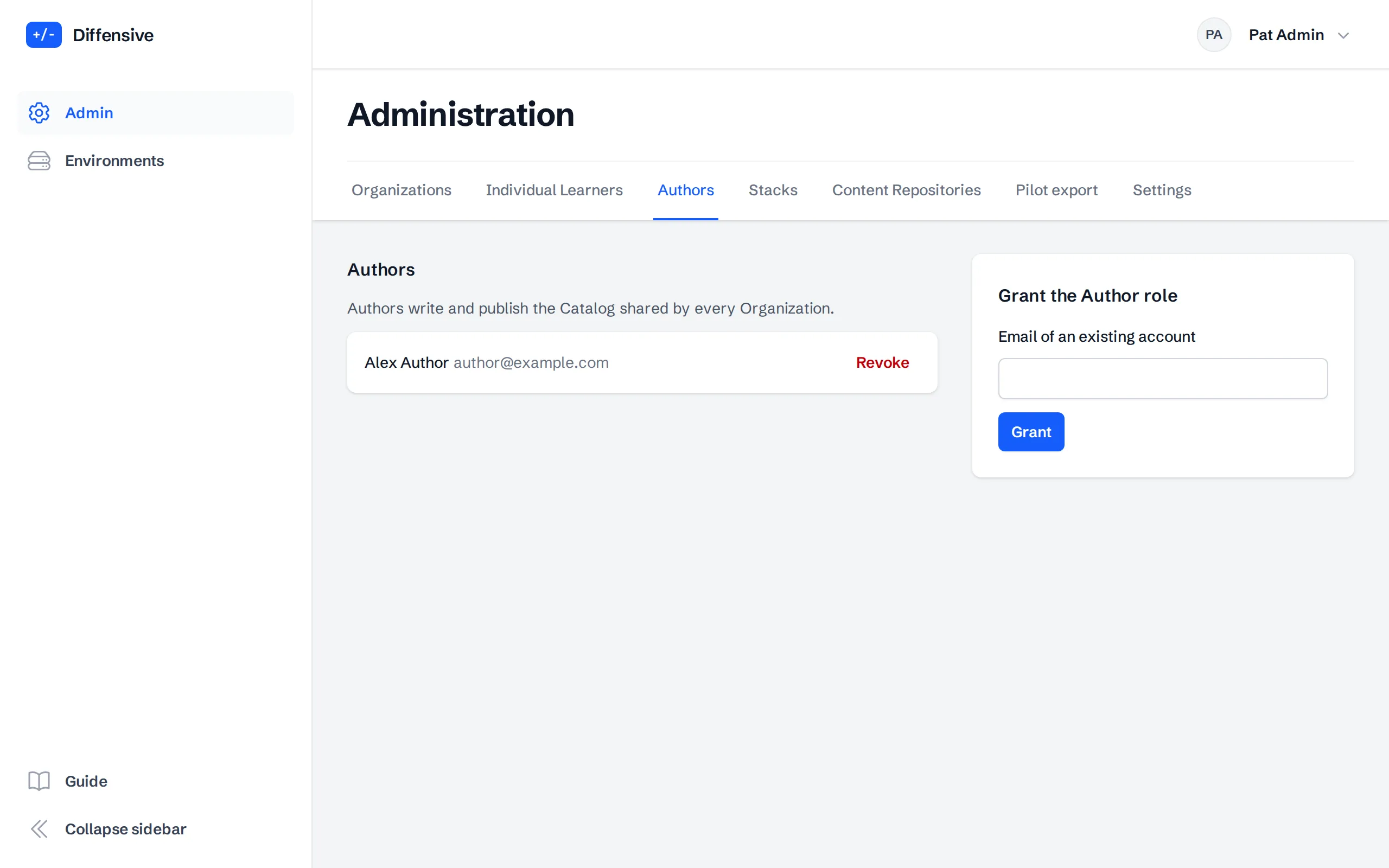
Authors write and publish the Catalog shared by every Organization. In Authors, enter the email of an existing account and choose Grant. Revoke takes the role back.
-
Add a Stack
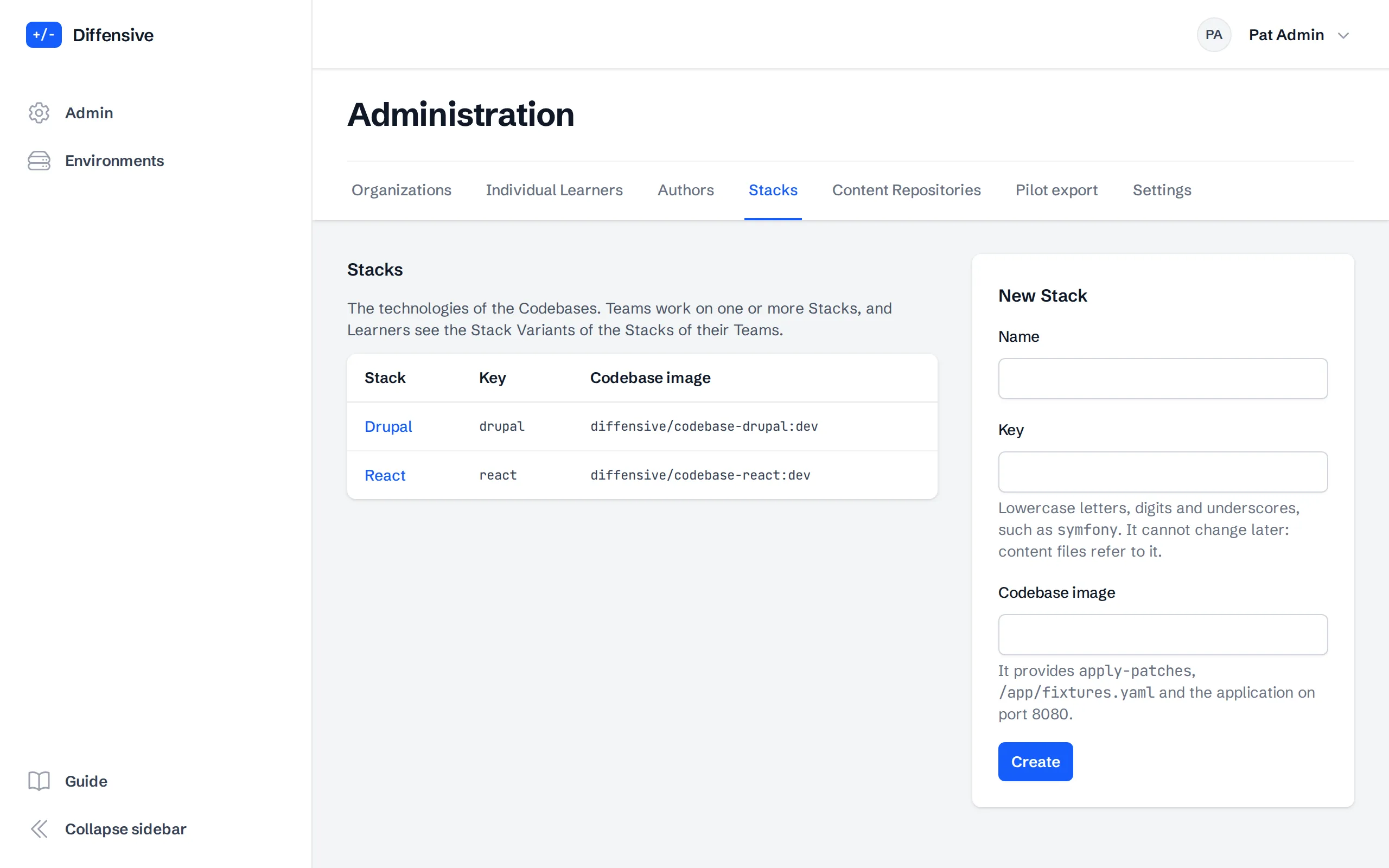
A Stack is the technology of a Codebase, such as Drupal. In Stacks, add one with its name, a key such as
symfony, and the base image of its Codebase: an image that providesapply-patches,/app/fixtures.yamland the application on port 8080. The key cannot change later, since content files refer to it.The Drupal and React Stacks are already there: every deploy creates them and sets their image back to the one built with it, so change only their name by hand.
Teams then choose the Stacks they work on, and Authors write the tour, the Checklists and the Stack Variants of the new Stack.
-
Register a Content Repository
Authors can write Catalog Exercises in git repositories and publish them with a merge. In Content Repositories, register one with its name, its HTTPS URL, the branch whose merges publish, the Folder that holds
exercises/when it is not at the root, such ascontent, and, for a private repository, a read-only token with its username. The token is sealed when you save it and never shown again; leave the field empty later to keep it.Retire stops the syncs of a repository and takes its Exercises out of the Catalog. A retired repository is never deleted: Reactivate brings its Exercises back with the same identifiers, so the progress of the Learners is kept.
-
Choose the AI providers
The Reviewer Benchmark asks reference AI reviewers to review the Proposal of every Exercise. In Settings, tick the AI providers that review Catalog Exercises and those that review Project Exercises, then choose Save. Project Exercises contain the code of an Organization: check its agreements before you add a provider to their list.
Each provider shows its configured reviewers. A provider without a reviewer cannot be chosen, and API key missing means that its runs fail until the key is set. Until you save, the Catalog uses every provider with a reviewer and Projects use Anthropic only. A change applies to the runs requested after it.
In Solution Judge, choose the provider whose model judges the way out of a Finding in the Debrief, for Catalog Exercises and for Project Exercises, or No judge. Each provider judges with one model, shown under its name; a provider without one cannot be chosen, and a provider whose API key is missing judges nothing until the key is set. Until you save, Anthropic judges both. The way out of a Finding that Learners write goes to the provider you choose, so name it in the Privacy Policy.
-
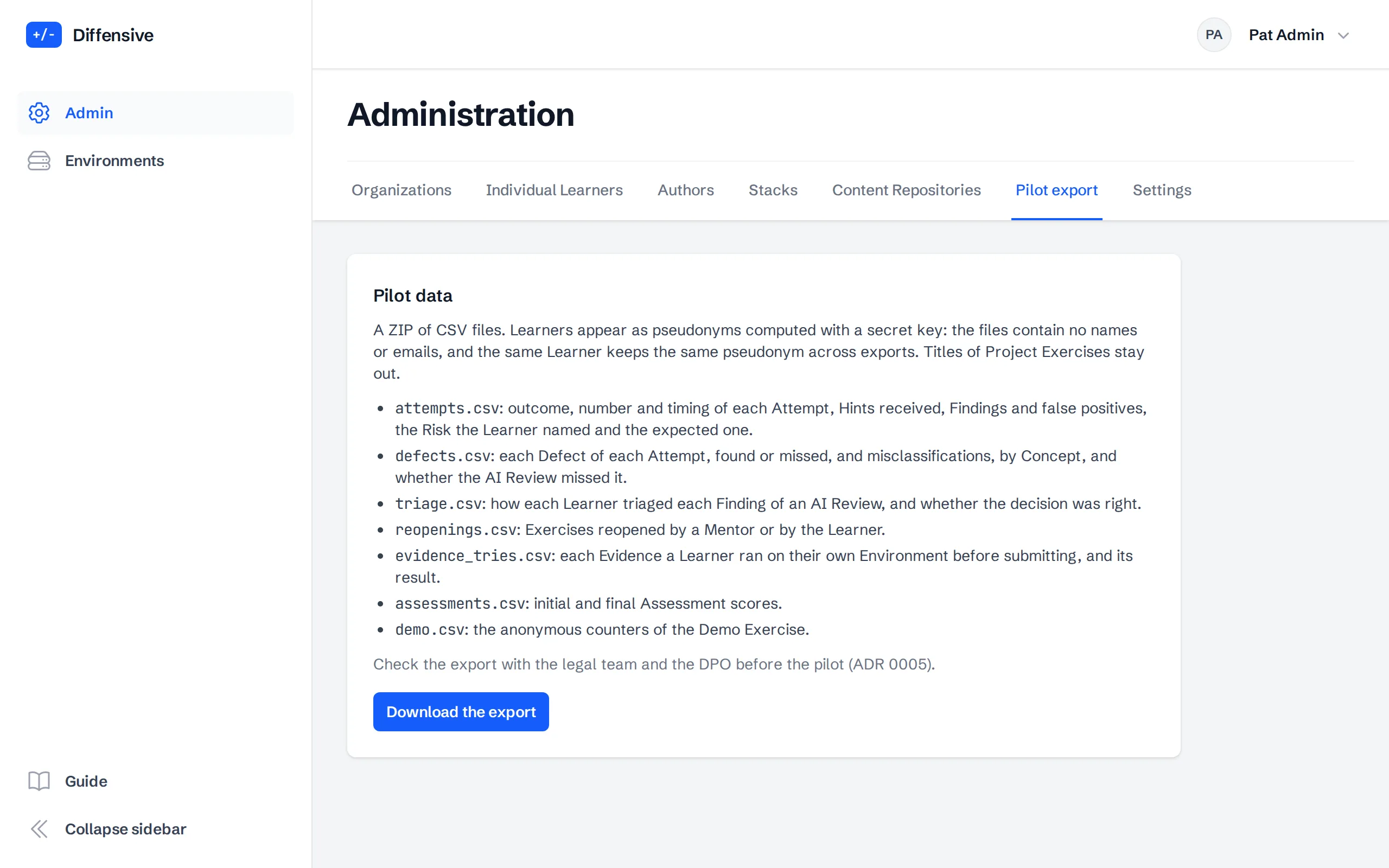
Export the pilot data
Pilot export downloads a ZIP of CSV files: Attempts with the Stack and version of the Exercise, the Risk given and the expected one, Defects found or missed and whether the AI Review missed them, the Triage of the AI Review Findings, reopened Exercises, Evidence runs, Assessment scores and the counters of the Demo Exercise.
Learners appear as pseudonyms computed with a secret key: the files contain no names or emails, and the same Learner keeps the same pseudonym across exports. Check the export with the legal team and the DPO before you share it.